AutoStream for Basketball

AutoStream for Basketball
Basketball moves fast. One moment the action is under the basket; the next, it’s racing down the court. AutoStream is available only on iOS and follows the play for you, so you can share the game with family and fans while enjoying it from the sidelines.
Set it up. Let AutoStream follow the action.
Mount your iPhone or iPad on a tripod with a view of the full court. AutoStream automatically pans back and forth as play moves, so you don’t have to manually pan a tripod or use a gimbal to keep up. It also supports 1080p video on compatible iOS devices for a clearer view of the game.
Start using AutoStream on iOS
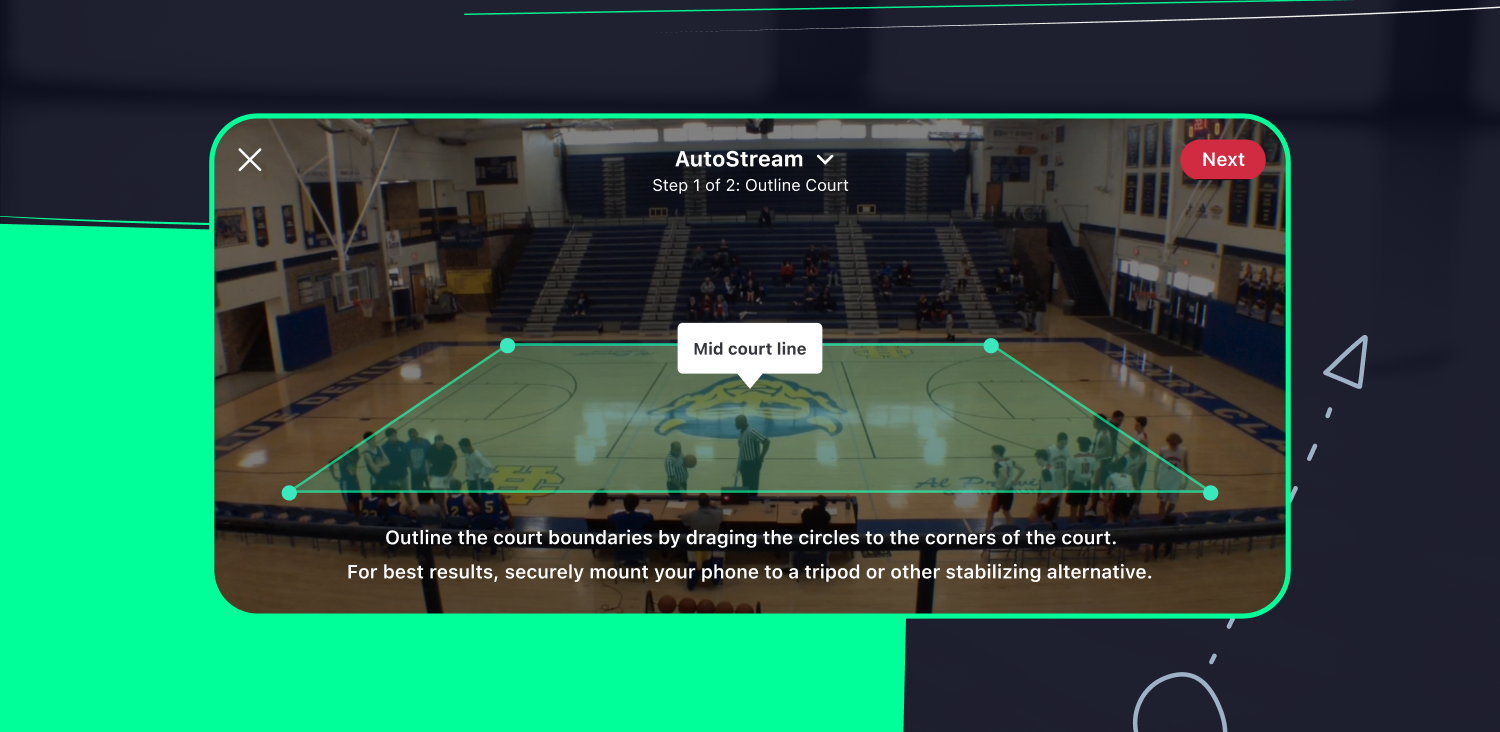
Open your team’s scheduled game and tap Record video. Choose This device as your video source, select your video mode, then choose AutoStream under Pan & zoom mode. Set your video quality and audience permissions, outline the court boundaries when prompted, and start your broadcast.
AutoStream is free for team staff and videographers. For setup tips, visit the Help Center.
Questions or feedback? Send an email to help@gc.com.
Lorem ipsum dolor sit amet, consectetur adipiscing elit, sed do eiusmod tempor incididunt ut labore et dolore magna aliqua. Ut enim ad minim veniam, quis nostrud exercitation ullamco laboris nisi ut aliquip ex ea commodo consequat. Duis aute irure dolor in reprehenderit in voluptate velit esse cillum dolore eu fugiat nulla pariatur.
The Only App You Need This Season